
AstrBot - Agent Chatbot
AstrBot Configuration Tutorial — Integrating the open-source Agent chatbot platform with Avisyn to inject AI capabilities into instant messaging platforms like QQ, Feishu, DingTalk, and WeChat Work.
AstrBot is an open-source, all-in-one Agent chatbot platform that seamlessly integrates large language model capabilities into mainstream instant messaging software such as QQ, Feishu, DingTalk, and WeChat Work, creating a reliable and scalable conversational AI infrastructure for individuals, developers, and teams. Whether it's a personal AI companion, intelligent customer service, automation assistant, or enterprise knowledge base, AstrBot can quickly build production-ready AI applications within your instant messaging platform's workflow.
- Official Website: https://astrbot.app
- Official Documentation: https://docs.astrbot.app
- Project Homepage: https://github.com/astrbotdevs/astrbot
Avisyn Integration Method
AstrBot supports integrating Avisyn as a model provider, allowing users to access and utilize various AI model services through Avisyn.
Configuration Steps
Obtain Avisyn API Key
After registering and logging into Avisyn, click 'Console' in the top navigation bar, then click 'Token Management', and then click the 'Add Token' button to create a Avisyn Key. Select the appropriate permissions and click 'Create'.
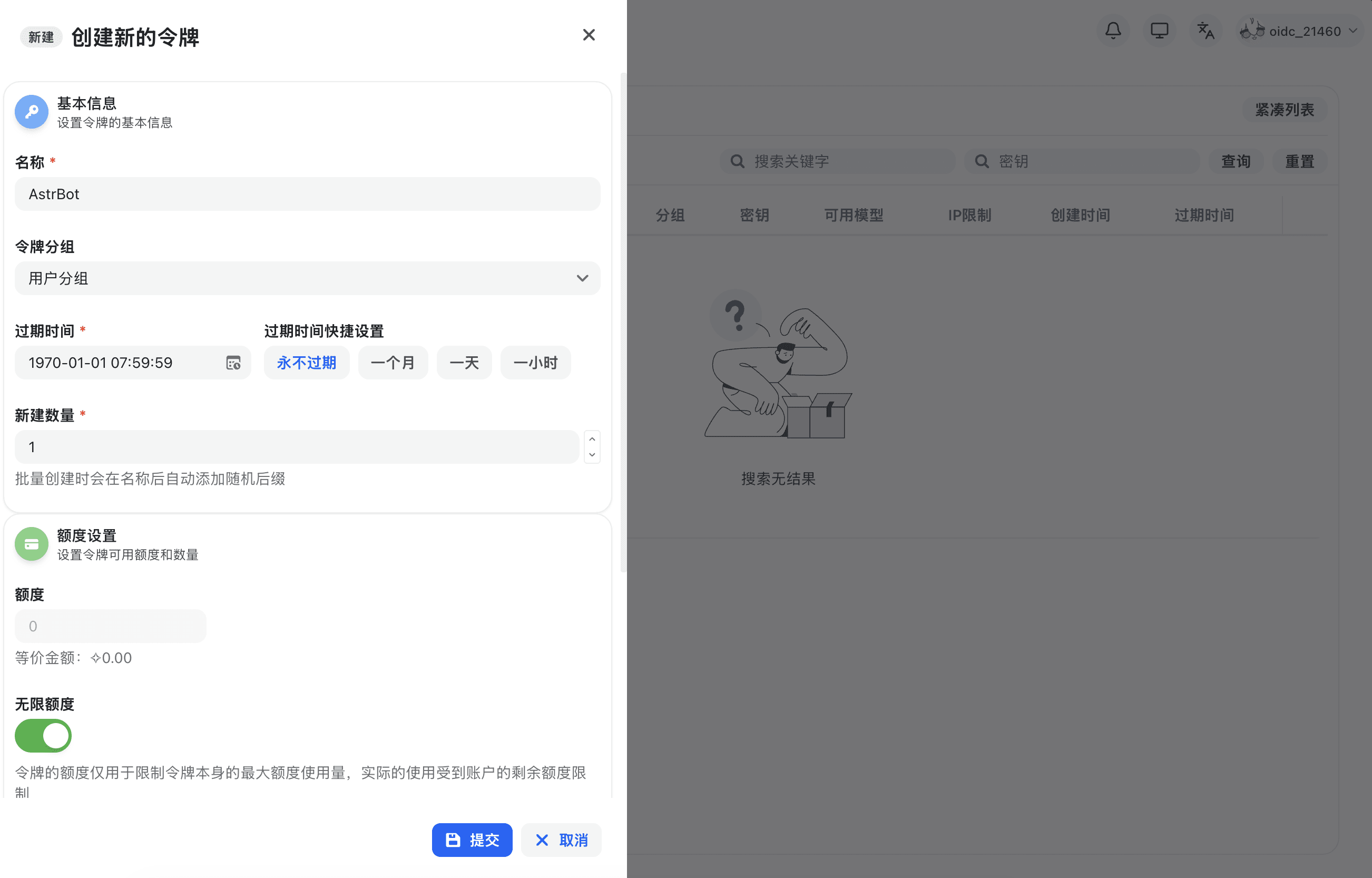
After successful creation, click the 'Copy Key' button to copy the generated API Key.
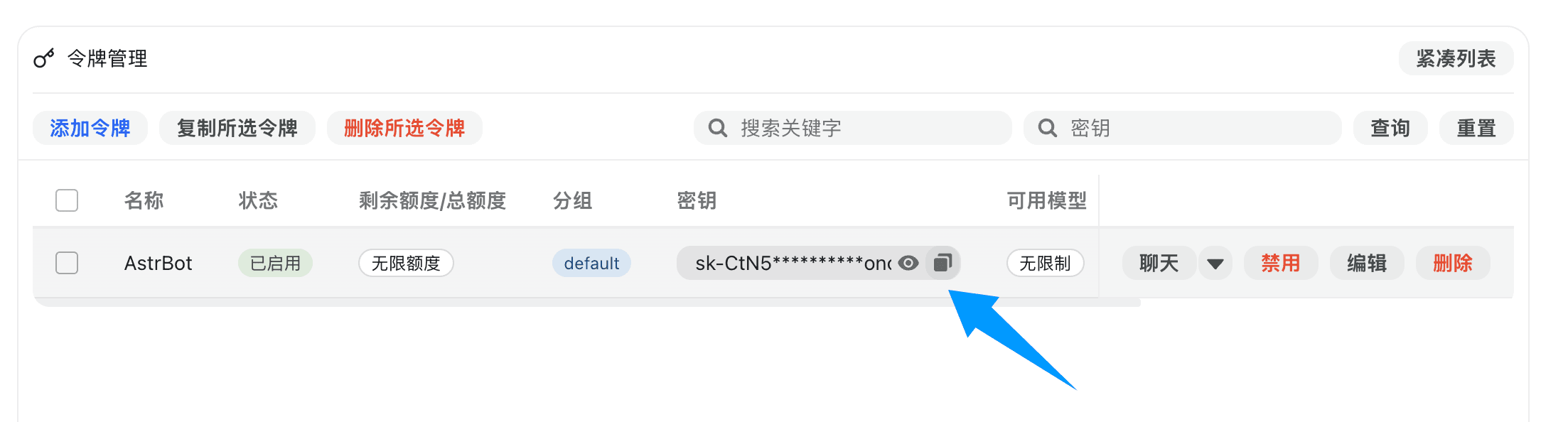
Configure Avisyn Service Provider in AstrBot
Open the AstrBot administration panel, go to the 'Model Providers' page, then click the 'Add Model Provider' button.
Avisyn perfectly supports OpenAI Chat Completion and Responses interfaces. Click 'OpenAI' to enter the OpenAI provider configuration page.
In the pop-up dialog, set the API Base URL to the Avisyn interface address. Please use your own deployed Avisyn, or ensure that the service provider has legitimate upstream authorization and compliance obligations for the Avisyn service. If you have deployed Avisyn locally, fill in the local address, for example, http://localhost:3000/v1. Do not connect API addresses or keys from unknown sources to a production environment.
Then, enter the API Key into the 'API Key' field and click the 'Save' button.
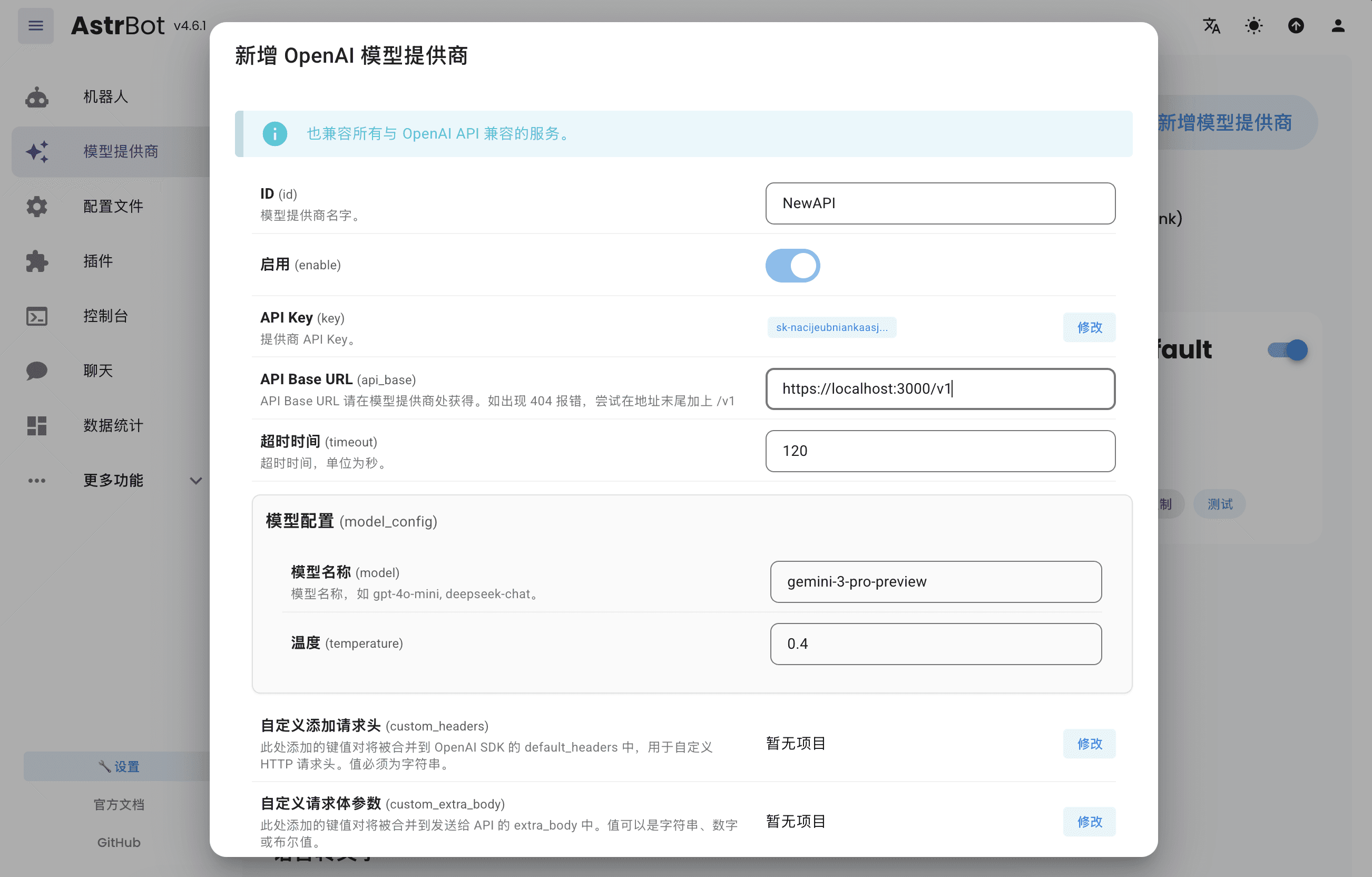
Then click 'Save' to complete the Avisyn provider configuration.
Apply Service Provider
Go to the 'Configuration File' page, find the 'Model' section, change the 'Default Chat Model' to the Avisyn provider you just created, and click the 'Save' button.
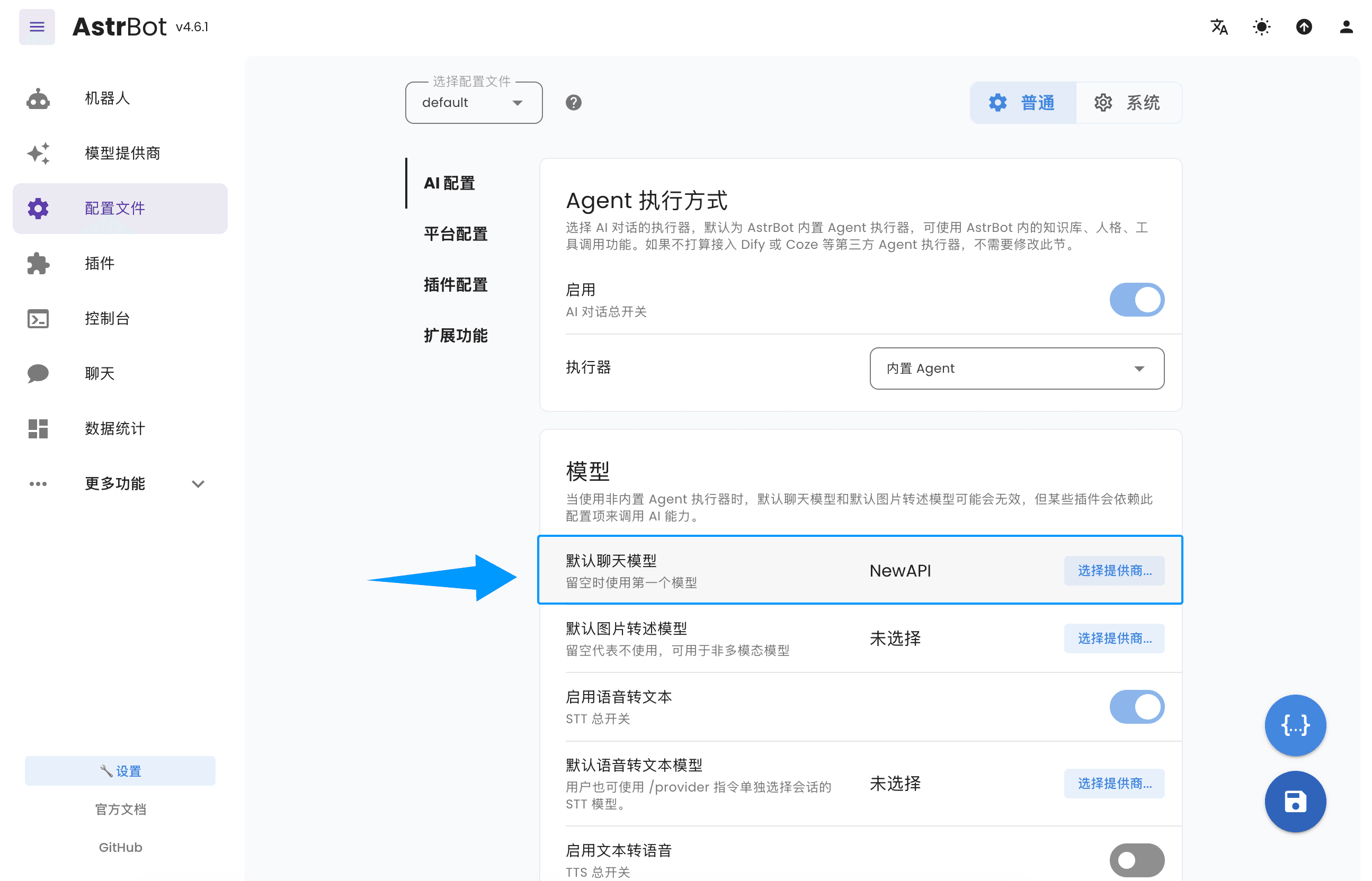
At this point, you have successfully configured Avisyn as AstrBot's model provider. Now, you can access and use various AI model services provided by Avisyn through AstrBot.
How is this guide?
Last updated on
LunaTranslator - Open Source GalGame Translator
LunaTranslator Tutorial — An open-source GalGame / visual novel translator that supports HOOK, OCR, and AI translation engines. Integrates with Avisyn to improve translation quality.
Claude Code
Claude Code configuration guide — use Anthropic's terminal-based coding agent with Avisyn. Supports code understanding, multi-file editing, and IDE integration.